How to Check Income Tax Refund Status
How to Check Income Tax Refund Status
How to Check Income Tax Refund Status is a common question among Indian taxpayers after filing their income tax returns. If your tax deducted or paid exceeds your final tax liability, you may be entitled to a refund.
The Income Tax Department provides an online facility to track refunds, identify payment failures and request reissue where applicable.
What Is an Income Tax Refund?
An income tax refund arises when eligible tax payments, including TDS, TCS or advance tax, exceed the taxpayer’s final tax liability.
For example, if your final tax liability is ₹45,000 but eligible taxes already paid total ₹52,000, the difference of ₹7,000 may be refundable, subject to return processing and applicable adjustments.
Filing an ITR claiming a refund does not mean the amount has already been approved.
How to Check Income Tax Refund Status Online
Follow these official steps to track your refund.
Step 1: Visit the Income Tax Portal
Open the official Income Tax e-Filing Portal.
Select Login and enter your registered user ID, usually your PAN, and password. Complete the required authentication.
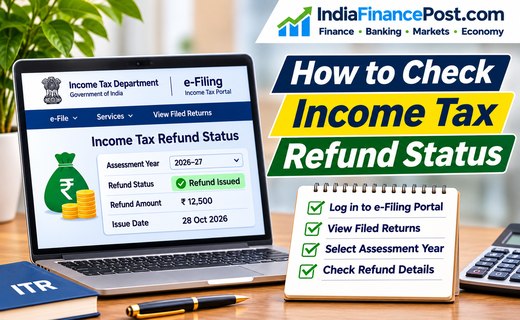
Step 2: Open Filed Income Tax Returns
After logging in, navigate to:
e-File → Income Tax Returns → View Filed Returns
This section displays your previously filed income tax returns.
Step 3: Select the Assessment Year
Locate the return for the relevant assessment year.
For example, income earned during FY 2025–26 generally relates to Assessment Year 2026–27.
Select the correct return rather than assuming the latest entry is the one you need.
Step 4: Check Refund Details
Select View Details for the chosen return.
The portal displays the return’s processing history and available refund information.
You may see that the refund has been issued, adjusted against a demand, or failed.
The exact information depends on the stage of processing.
Understanding Income Tax Refund Status Messages
| Status | What it generally means |
|---|---|
| Return e-verified | Return verification completed; processing may still be pending |
| Refund issued | Department has initiated the refund payment |
| Refund partially adjusted | Part of the refund has been adjusted against an applicable demand |
| Refund fully adjusted | Refund has been adjusted rather than paid |
| Refund failed | Payment could not be successfully credited |
If your return is still awaiting verification, complete the required verification process promptly.
How Long Does an Income Tax Refund Take?
According to the Income Tax Department’s refund-status guidance, refunds are usually credited within approximately four to five weeks after e-verification.
This is general guidance, not a guaranteed deadline.
Processing may take longer because of return discrepancies, verification requirements, tax-credit mismatches or other checks.
If your refund is delayed, review your registered email, portal notifications and return-processing status.
Why Is Your Income Tax Refund Delayed?
Common reasons include:
- ITR verification is incomplete.
- The return is still being processed.
- Bank-account details are incorrect or not validated.
- The registered bank account has been closed.
- PAN and bank-account names do not match.
- The refund is adjusted against an outstanding tax demand.
- PAN is inoperative because of applicable Aadhaar-linking requirements.
Check the actual portal message before deciding what corrective action is needed.
How to Request a Failed Refund Reissue
If the portal confirms that a refund payment has failed, you may request reissue.
- Log in to the income tax portal.
- Open Services → Refund Reissue.
- Select Create Refund Reissue Request.
- Choose the eligible failed-refund record.
- Select a validated bank account.
- Complete the required electronic verification.
- Save the transaction ID.
The refund-reissue facility is intended for failed refunds, not simply for returns awaiting processing.
Refer to the official Refund Reissue User Manual.
Can You Check ITR Status Without Logging In?
The portal also offers an ITR-status facility using an acknowledgement number, mobile number and OTP.
However, checking whether an ITR was filed or processed is not always equivalent to obtaining complete refund-payment details.
For the most relevant refund information, use View Filed Returns after logging in.
What If Your Refund Still Has Not Arrived?
First, confirm that the return is verified and processed. Then check whether the refund was issued, adjusted or failed.
If necessary, contact the Income Tax Department’s official helpdesk or raise an appropriate grievance through the e-filing portal.
Avoid unofficial websites requesting your banking passwords, UPI PIN or OTP to release a refund.
Conclusion
Understanding How to Check Income Tax Refund Status helps taxpayers monitor their refunds and identify issues without relying on intermediaries.
Use the official e-filing portal, select the correct assessment year and review the refund details. If payment has failed, correct the bank-account issue and submit a refund-reissue request where eligible.
Disclaimer: This article provides general tax information. Refund eligibility, amounts and processing depend on the applicable tax rules and individual circumstances.