How to Check AIS and TIS Before Filing ITR
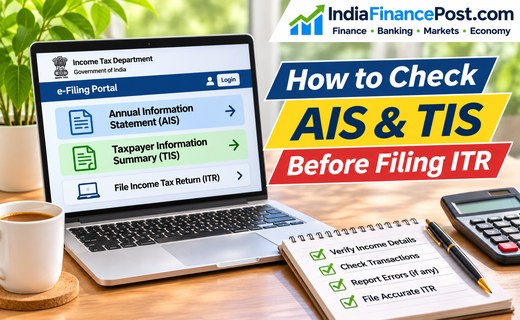
How to Check AIS and TIS Before Filing ITR
How to Check AIS and TIS Before Filing ITR is an important question for Indian taxpayers who want to verify their financial information before submitting an income tax return.
The Annual Information Statement (AIS) and Taxpayer Information Summary (TIS) help taxpayers review income, tax deductions and financial transactions reported to the Income Tax Department.
Checking these statements can help identify incorrect entries, missing income and discrepancies before filing.
What Are AIS and TIS?
Annual Information Statement (AIS) provides detailed information about financial transactions reported to the Income Tax Department.
It may include salary information, bank interest, dividends, securities transactions, tax deductions and other reportable financial activities.
Taxpayer Information Summary (TIS) presents category-wise aggregated information based on AIS records, including values processed by the system and values adjusted after feedback or source confirmation.
Difference Between AIS, TIS and Form 26AS
| Statement | Main Purpose |
|---|---|
| AIS | Detailed financial transaction information |
| TIS | Category-wise summary of reported information |
| Form 26AS | Tax deducted and collected at source information |
Reviewing all three can help taxpayers reconcile their records.
How to Check AIS and TIS Before Filing ITR Online
Follow these steps using the official Income Tax Department portal.
Step 1: Visit the Income Tax Portal
Open www.incometax.gov.in and select Login.
Enter your PAN or registered user ID and complete the authentication process.
Step 2: Open Annual Information Statement
After logging in, select Annual Information Statement (AIS) from the dashboard.
Alternatively, navigate to e-File → Income Tax Returns → View AIS.
Select Proceed to access the AIS portal.
Step 3: Select the Financial Year
Choose the relevant financial year for which you intend to file your income tax return.
For example, income earned during FY 2025–26 generally relates to Assessment Year 2026–27.
Always verify that the selected year matches the return being prepared.
Step 4: Review AIS Information
Open the AIS section and examine the available transaction categories.
Pay particular attention to:
- Salary and tax deducted at source.
- Savings account and fixed deposit interest.
- Dividend and securities-related information.
- Tax payments and refunds.
- Other reportable financial transactions.
Compare these entries with Form 16, bank statements, interest certificates and investment records.
Step 5: Check Taxpayer Information Summary
Return to the AIS dashboard and open TIS.
Review the category-wise income summaries and compare them with your actual financial records.
TIS values may be used to prefill applicable information in your income tax return.
Step 6: Download Your Statement
The Income Tax Department allows AIS downloads in PDF, JSON and CSV formats.
Download the relevant statement if you want to reconcile transactions offline or retain records for future reference.
How to Correct Wrong Information in AIS
If you find an incorrect transaction, you can submit feedback through the AIS portal.
- Open the relevant transaction entry.
- Select the available feedback option.
- Choose the appropriate reason for the discrepancy.
- Enter the required details.
- Submit the feedback.
The portal records submitted feedback and may display a modified value alongside the originally reported amount.
Keep the acknowledgement for reference. Where necessary, also contact the reporting bank, employer or financial institution to request correction.
Important: Submitting AIS feedback does not automatically remove every discrepancy or replace your responsibility to report accurate income.
What If Income Is Missing From AIS?
AIS contains information available to the Income Tax Department, but it may not include every taxable transaction.
For example, some income may be missing because reporting information has not yet been received or processed.
Taxpayers must still report their complete taxable income, even when a particular transaction does not appear in AIS.
Do not treat the prefilled return or TIS summary as a substitute for your own records.
Important Checks Before Filing ITR
Before submitting your return:
- Match salary details with Form 16.
- Reconcile interest income with bank records.
- Check dividends and investment transactions.
- Verify tax credits against applicable statements.
- Review the correct financial year and assessment year.
- Confirm that the final return includes all reportable income.
These checks can reduce avoidable mistakes and help taxpayers respond to discrepancies more confidently.
Conclusion
Knowing How to Check AIS and TIS Before Filing ITR helps taxpayers understand what financial information has been reported to the Income Tax Department.
Review both statements, reconcile the entries with supporting documents and submit feedback where necessary.
A careful review before filing can make income tax compliance more accurate and organised.
Official reference: Income Tax Department — AIS Frequently Asked Questions
Disclaimer: This article provides general educational information and does not constitute personalised tax advice. Consult a qualified tax professional for complex circumstances.