How to Apply for Udyam Registration Online in 2026
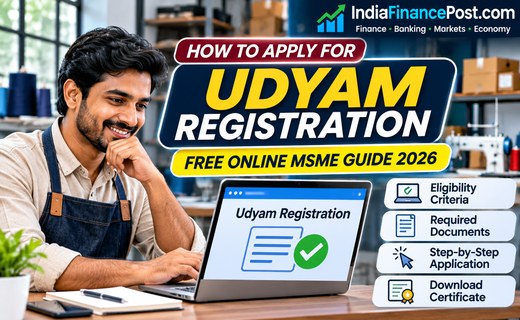
How to Apply for Udyam Registration Online in 2026
How to Apply for Udyam Registration is an important question for Indian entrepreneurs who want official recognition of their micro, small or medium enterprise (MSME). The Government of India offers a free, paperless registration facility through the Ministry of MSME’s official portal.
Eligible manufacturing and service businesses can register online without paying a government fee or uploading supporting documents. However, applicants must provide accurate business information and complete the required identity verification.
This guide explains the application process, updated MSME classification limits and how to obtain the registration certificate.
Who Is Eligible for Udyam Registration?
Businesses are classified using two criteria: investment in plant and machinery or equipment, and annual turnover.
The revised thresholds, effective from April 1, 2025, are:
| MSME category | Maximum investment | Maximum turnover |
|---|---|---|
| Micro | ₹2.5 crore | ₹10 crore |
| Small | ₹25 crore | ₹100 crore |
| Medium | ₹125 crore | ₹500 crore |
Both limits must be satisfied for the relevant classification.
These thresholds apply to eligible manufacturing and service enterprises. Businesses should also check whether their particular activity qualifies under the current registration rules.
How to Apply for Udyam Registration: Step-by-Step Process
Step 1: Visit the Official Government Portal
Open udyamregistration.gov.in.
Choose the registration option for new entrepreneurs who have not already registered as MSMEs.
Use the government website rather than a commercial registration service. The official process is free.
Step 2: Complete Aadhaar Verification
Enter the Aadhaar number and name of the relevant applicant.
For a proprietorship, the proprietor’s Aadhaar is required. For a partnership, the managing partner’s Aadhaar is used, while a Hindu Undivided Family uses the karta’s Aadhaar.
Companies, LLPs and other eligible organisations must provide the required authorised-signatory information.
Complete the Aadhaar verification using the portal’s prescribed OTP process.
Step 3: Verify PAN and Applicable GST Details
After Aadhaar verification, proceed to PAN verification.
Provide the appropriate PAN and GSTIN information according to the enterprise’s legal structure and applicable GST requirements.
The portal integrates with government databases to obtain relevant investment and turnover information.
GST registration is not automatically compulsory for every business merely because it seeks Udyam Registration. The applicable GST rules must be considered.
Step 4: Enter Enterprise Information
Provide the business name, organisation type, address, contact information and other details requested by the portal.
You may also need to specify the business’s bank information, employment details and manufacturing or service activities.
Select the appropriate National Industrial Classification (NIC) codes to describe your activities accurately.
Step 5: Review and Submit
Check the information carefully before submitting the application.
The registration is based on self-declaration, and applicants are responsible for the accuracy of the information provided.
Complete the final verification and submission steps displayed on the portal.
How to Download the Udyam Registration Certificate
After successful registration, the enterprise receives a permanent Udyam Registration Number and an electronic certificate.
The certificate includes a dynamic QR code that allows the enterprise’s registration details to be accessed through the government portal.
To retrieve it later, use the portal’s certificate-printing or login facility and complete the required verification.
The registration does not require periodic renewal, although enterprise information may need updating when circumstances change.
Is Udyam Registration Really Free?
Yes. The Ministry of MSME states that Udyam Registration is entirely free, paperless and based on self-declaration.
Applicants are not required to upload supporting documents during the standard registration process.
The government also warns that private websites and agents are not authorised to carry out official MSME registration on its behalf.
Avoid sharing Aadhaar OTPs, PAN details or banking information with unknown intermediaries.
What Are the Benefits of Udyam Registration?
Udyam Registration provides an official MSME identity that may help eligible enterprises access relevant government initiatives, procurement opportunities and credit-support programmes.
It can also assist businesses in establishing their MSME status for applicable delayed-payment protections.
However, registration does not automatically guarantee a bank loan, subsidy, government contract or tax exemption. Each programme has separate eligibility requirements.
For broader startup planning, read our guide to starting a business in India.
Common Mistakes to Avoid
Do not create multiple Udyam registrations for the same enterprise. The portal permits different eligible activities to be included under one registration.
Check Aadhaar and PAN details carefully to avoid verification difficulties.
Use accurate NIC codes and avoid overstating turnover, investment or business activities.
Enterprises holding older Udyog Aadhaar registrations should follow the government’s applicable migration instructions rather than assume the previous registration remains sufficient.
Conclusion
Udyam Registration offers eligible Indian MSMEs a free and straightforward route to official recognition.
Entrepreneurs should verify their classification, use the government portal, complete Aadhaar and PAN verification, and preserve their registration certificate.
Accurate registration can support future business opportunities, but financial assistance and other benefits remain subject to separate conditions.
Disclaimer: This article is for general educational purposes. Registration rules, portal procedures and scheme eligibility may change. Always confirm requirements through the Ministry of MSME’s official website.